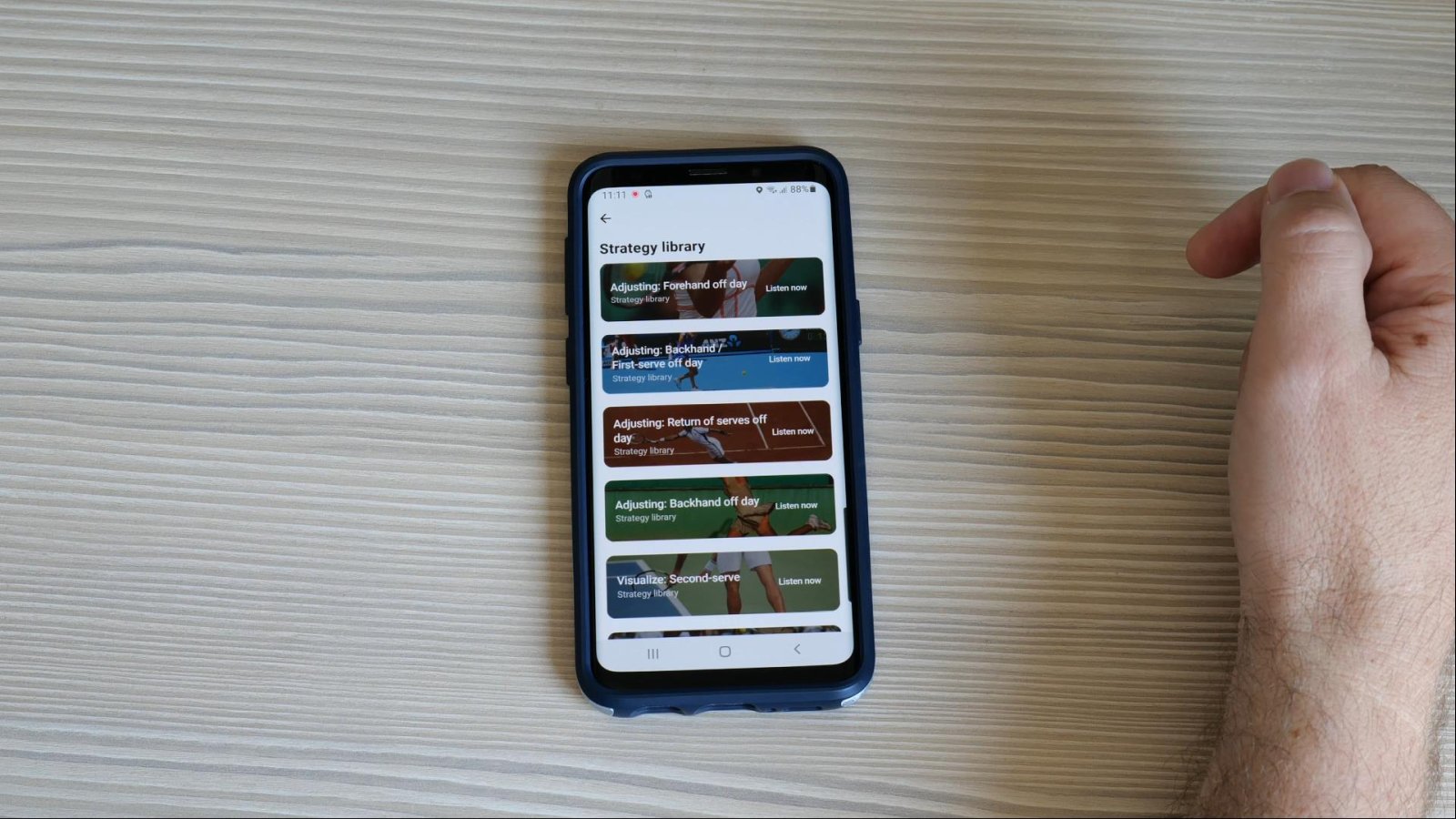
Today I am very proud to review the Armbeep tennis sensor, which was developed in my native country of Slovenia by a group of tennis coaches and IT experts.
The Armbeep device and its smartphone app show you the quality of your practice session with objective stats like intensity, shots per rally, heart rate and many more.
There is of course much more to Armbeep, and through this review I’ll show you how it works, what you can do with all its data and how it can be used by tennis players, parents and coaches to improve the quality of the tennis training.
Disclaimer: I receive a small commission if you decide to purchase the Armbeep tracker following one of the links in this article.
Armbeep Features And How To Use The Sensor Device
The Armbeep sensor comes in a neat box that includes the sensor, wrist strap, USB charging cable and a practical pouch which you can carry in your tennis bag.
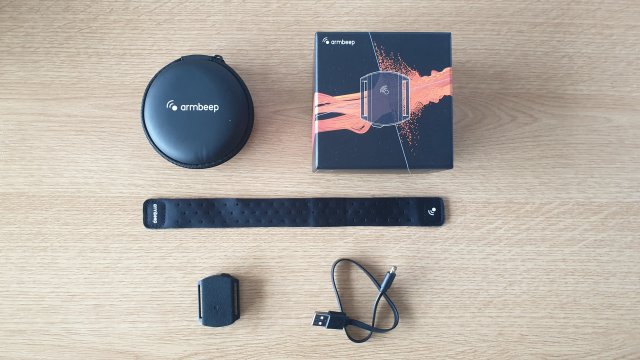
The Armbeep is packaged in a neat box with enclosed travel pouch.
The sensor can be worn on the wrist with the enclosed strap, or you can just push it under the usual wristband.
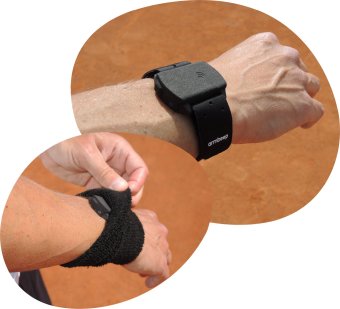
Since it weighs only 12 grams (less than half an ounce), you won’t really feel that you’re wearing it, yet it’s quite powerful as it records 833 data points per second using its 6 gyroscopes and the heart rate sensor.
The Armbeep sensor has only one physical button. A long press activates the Bluetooth connection for data transfer, and another short press activates data tracking, which is displayed with a blinking green LED light.
Once your session is finished, you use one short press to turn off the data tracking and another long press to turn it off completely.
One charge allows for about 15 hours of operation, which means that a full-time competitive tennis player will probably need to charge it only once per week.
You also need to install a smartphone app compatible with Android and IOS devices which translates the data from the tracker into easy-to-understand and actionable information.
And that’s where the Armbeep is different from other tennis sensors on the market.
While most sensors just give you the data they recorded, for example the speed of your serve, they don’t look at the bigger picture of tennis development.
Since Armbeep was developed by a team of professional tennis coaches, they are looking at a bigger picture – and that’s the quality of training.
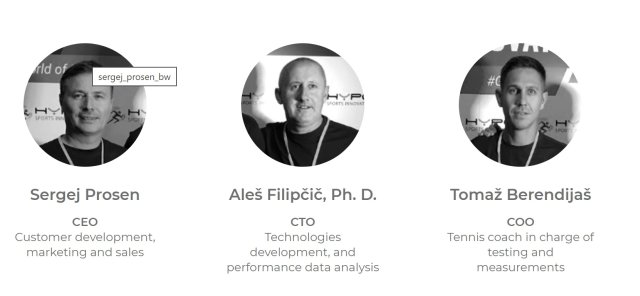
The team behind developing the Armbeep tennis tracker.
The main goal of using the Armbeep tennis sensor and its smartphone app is to see if the training is optimal based on the intensity and load of the player that compares well to match play.
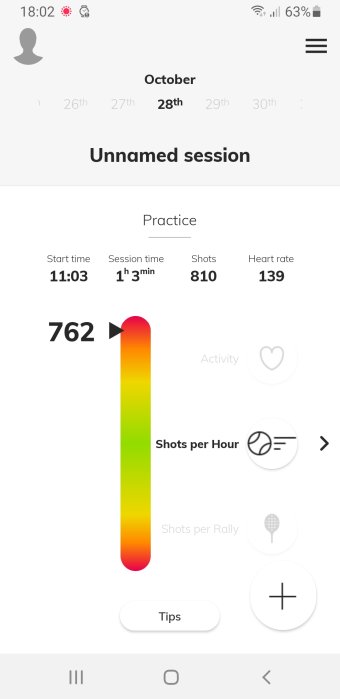
An example screen from the smartphone app.
The smartphone app allows you to quickly see the 3 main categories that point to training load and intensity:
- Activity – which shows in percentage form the time the player was active in that session
- Shots per hour – which suggests the general load of the player
- Shots per rally – which in a competitive period should be close to the average recorded shots per rally in matches
With these 3 categories and simple color gradients, the user is quickly able to read the stats from a training or match session and get objective data that can help plan and execute future training sessions.
The smartphone app can be used in Basic mode, which covers just the 3 major categories mentioned above, or in Advanced mode, which adds more data from a session like heart rate index, wrist speed (power index), shots per minute (tempo) and other features that allow benchmarking, weekly reports and more.
Why Do You Need A Tennis Tracker?
If one wants to become a really good tennis player, perhaps even a professional, then they need to start training tennis at an early age, train almost every day and work like that for at least 10 years.
Most juniors even at age 12 train 5 times per week in a group with additional conditioning sessions and extra private lessons here and there.
Even a small difference in the quality of training multiplied with such a high number of sessions over the period of 10 years will make a huge difference at the end.
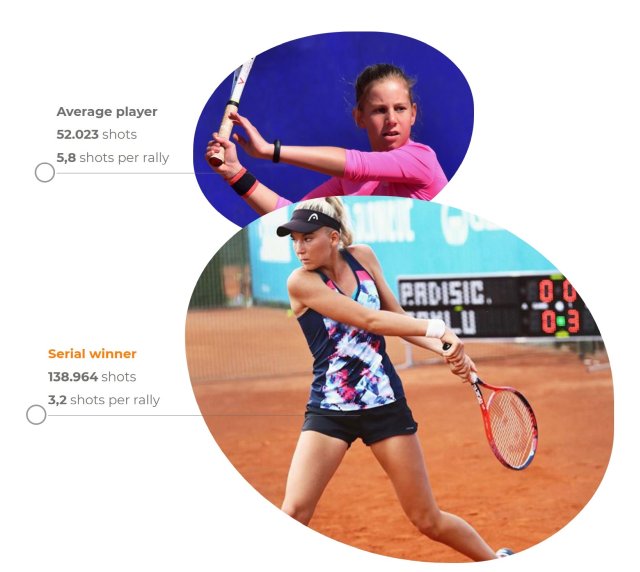
A small difference in daily performance leads to huge differences in the long term.
But how can one tell that the player trained at their optimal intensity and put in the optimal number of shots per session?
Without real data, the assessment is always subjective.
In the tennis triangle between the player, the parent and the coach, they all want to know the quality of tennis sessions.
While we can’t expect high motivation for tracking the quality of tennis training when it comes to juniors, older players towards the end of adolescence start to become much more responsible and internally motivated to train well.
They would like to know how well they trained so that they can improve in the future.
A tennis parent is very interested in knowing how well their kid trains in the long term as they usually cannot observe the training sessions.
A tennis coach with more in-depth knowledge of tennis surely wants to optimize the training sessions so that they mimic the intensity and load of tennis matches as close as possible.
The Armbeep tennis tracker provides the data of a tennis training session or a match through a smartphone app that gives everyone a clear picture of how well the player practiced at a glance.
The user has the option to dig deeper into the match and practice stats and get an even more detailed picture of the quality of the training sessions, match play statistics, overall trends, etc.
The Armbeep Smartphone App Review
Once the player finishes their match or a practice session, they download the data via Bluetooth to the smartphone and they are ready to review the data.
The app provides a quick overview of all recorded sessions with a monthly overview that shows on which days the player recorded a session.
Since I used the Armbeep myself, I can show you a few examples of my sessions and how to read the data.
Keep in mind I didn’t play matches or train to play points. I simply rallied with a partner for an hour, mostly playing down the middle.

I hit mostly down the middle in a free hitting session.
The rallies were very long, so all the stats ended up at high levels since the Armbeep app is currently calibrated for match play and training sessions of competitive tennis players.
The example stats that you see were taken from a very intensive session where I trained with a 14-year-old boy who is training tennis seriously and was able to keep a very high tempo for the whole hour.
We took only 3 breaks lasting around 2 minutes and went back to rallying.
As you can see, the Activity is 63, which means I was active 63% of the whole session.
In real matches and competitive training sessions, the activity is much lower because the points are shorter and there are also many more changeovers.
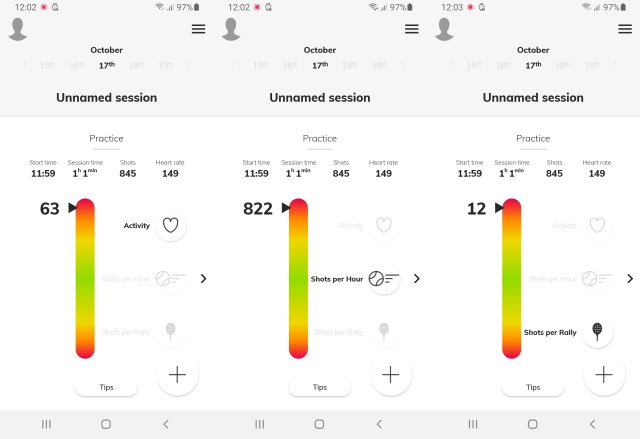
Stats from my free hitting session.
I hit 822 shots per hour, which is actually the highest of all my recorded sessions and suggests a very fast tempo.
An average of 12 shots per rally is also a great number for such a session, which suggests very few unforced errors.
A competitive player might be looking for similar numbers when they are just grooving in their strokes, for example when they have a warm-up session a few hours before the match and they want to feel the ball well.
But if we now go to the essence of Armbeep, which is tracking the stats of competitive tennis players, then here’s an example of an internationally ranked female player in her 20s.
If we look first at match stats, we’ll see that all her stats are either green or yellow, which is the expected load and intensity of higher-level tennis matches.
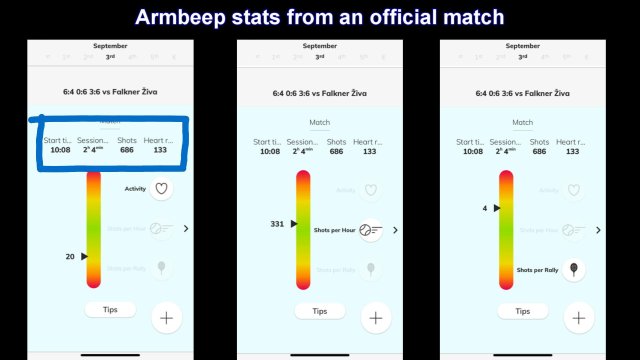
An example of match stats from a competitive tennis player.
Stats like this help a tennis coach a lot when they plan training sessions because they have objective data from the match.
Training sessions will usually be a bit higher in activity and shots per hour because the player doesn’t have to follow the changeover rule where they would take a 90-second break every 2 games and a 2-minute break after each set.
As mentioned before, there is also an advanced version with more stats to observe, but for that you’ll need to get in touch with the developers.
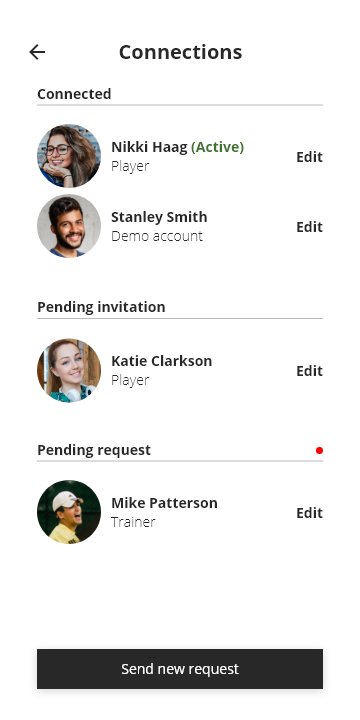
Data sharing is one of the most useful features.
The smartphone app also allows data sharing among users so kids can share their data with parents and players can give access to their coach so that they can monitor the performance of the whole team.
There’s also a Summary section where you can see the total number of sessions played, the total time on court and more.
Finally the Calendar function allows an overview of all training sessions and match plays and provides an easy-to-use Training Log for a tennis coach who needs such data for long-term planning and analysis.
As you can see, the Armbeep tracker with its smartphone app is a complete package for monitoring the quality of training sessions and match performance and analyzing this data with a simple interface.
With longer-term use, it allows the user to follow trends, compare their results with others, and understand how to adjust their training sessions for optimal performance.
If you would like to know more about the Armbeep tennis tracker or you would like to purchase it, get in touch with the developers at https://www.armbeep.com/.